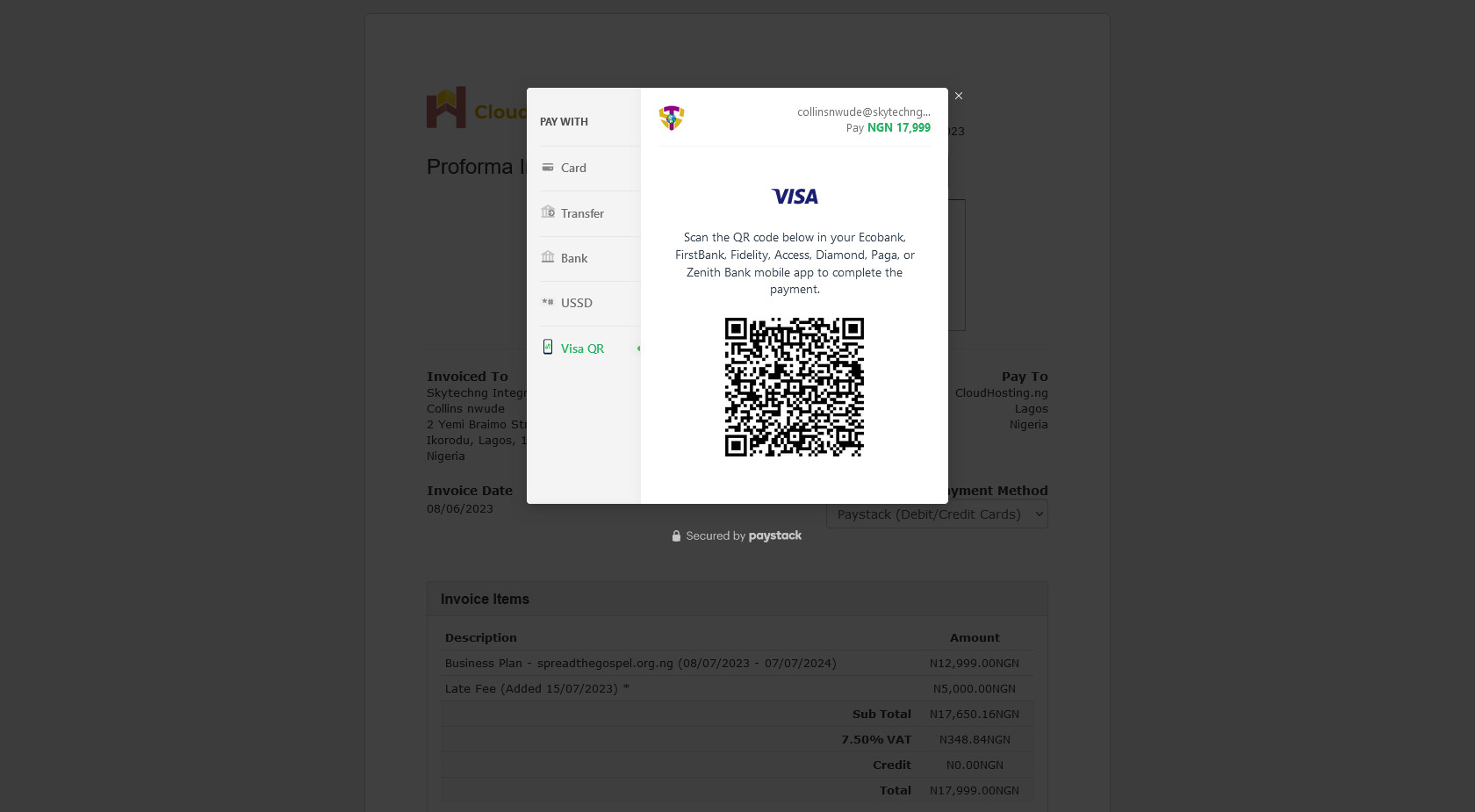
Step 1: Visit your Invoice Area in the Client Area or click on the invoice link, the first option will take you to the step 2 why the second option will take you to step 3
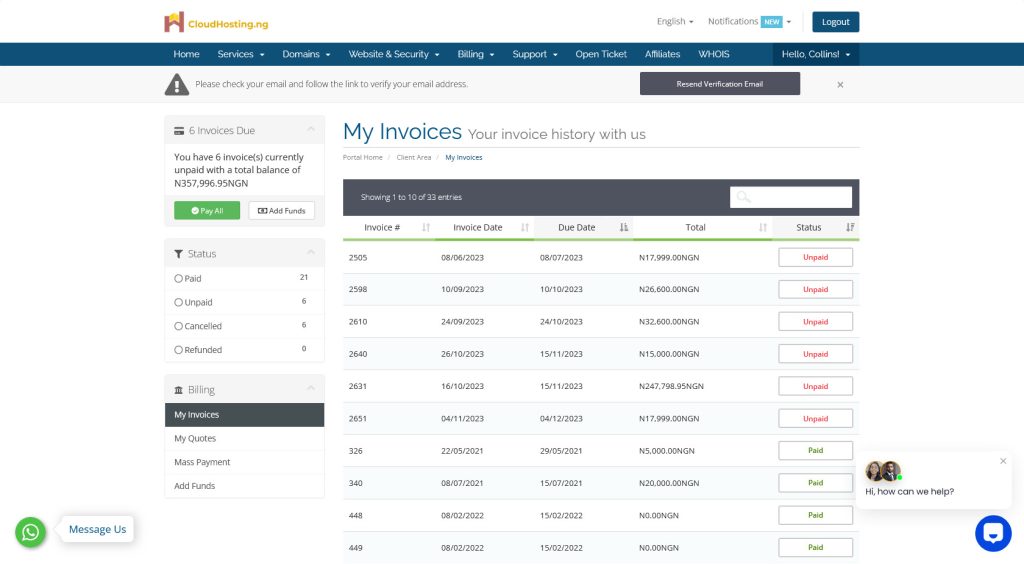
Step 2: Click on the invoice number of the invoice you want to make payment for
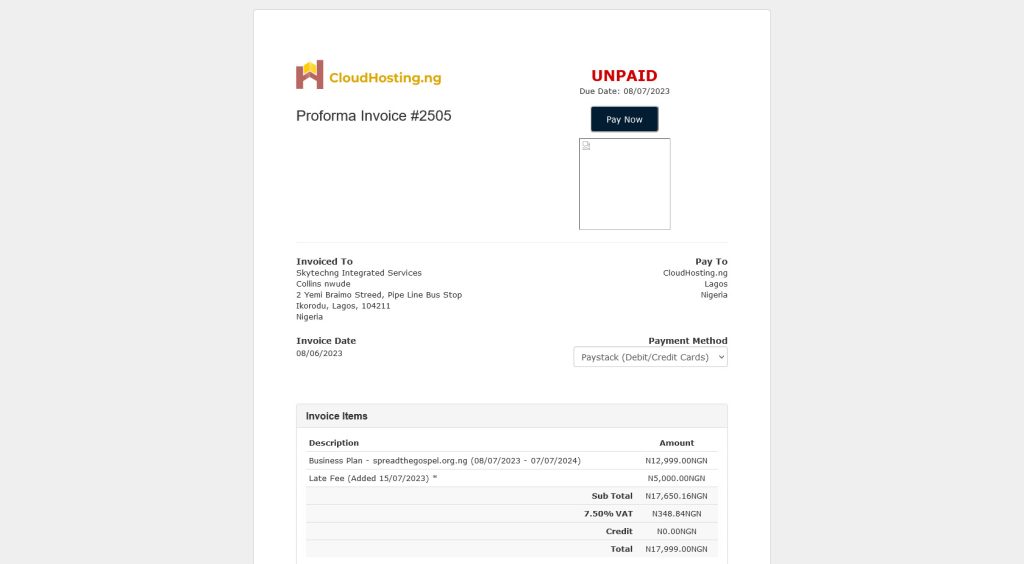
Step 3: Click on the “Pay Now” button
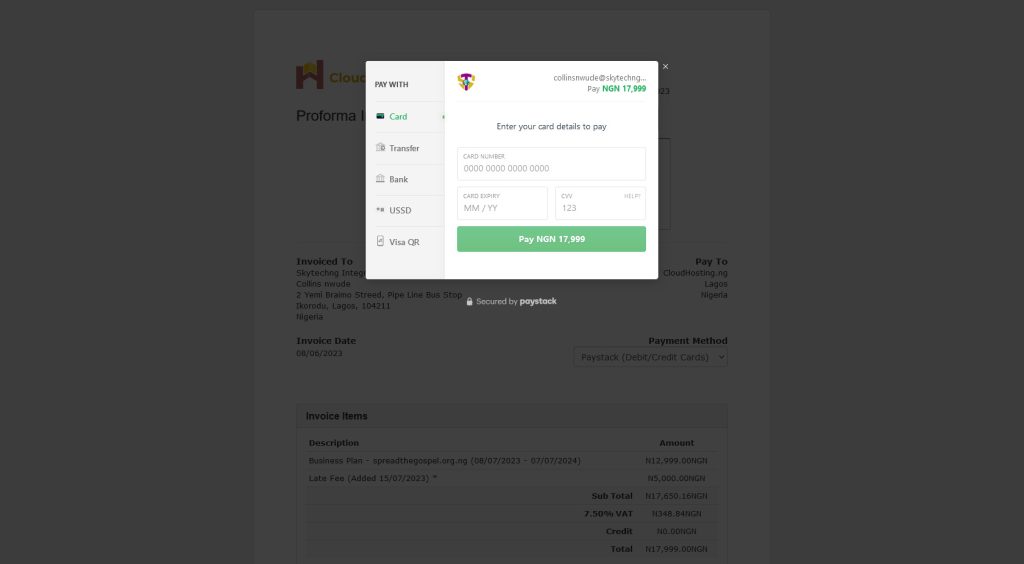
Step 4: You will be provided with six (6) options for your payments
- Card: This is payment with your ATM Card
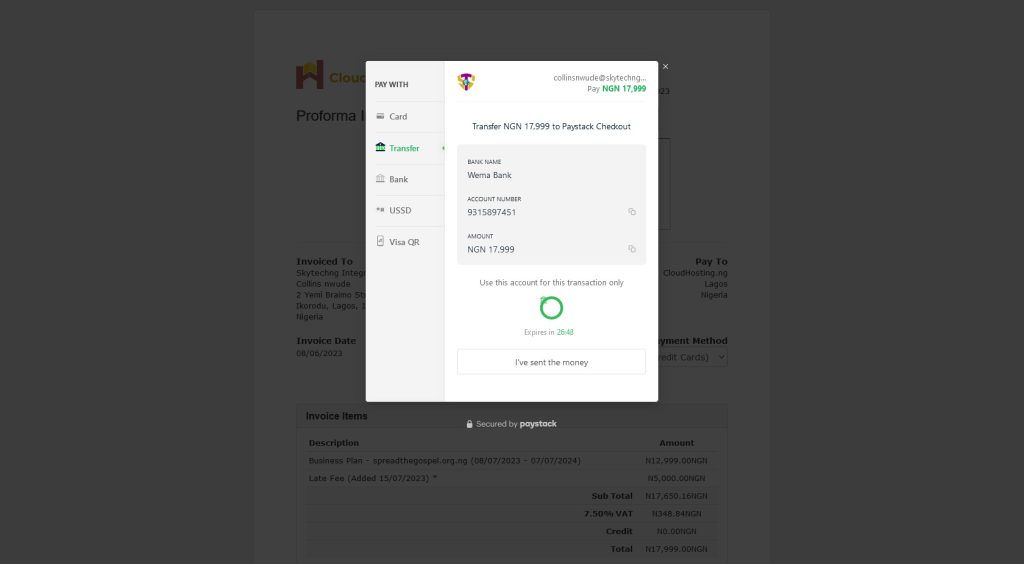
- Transfer: This is a bank transfer method, an account number will be provided, if you pay the exact amount to the provided account, your payments will be approved
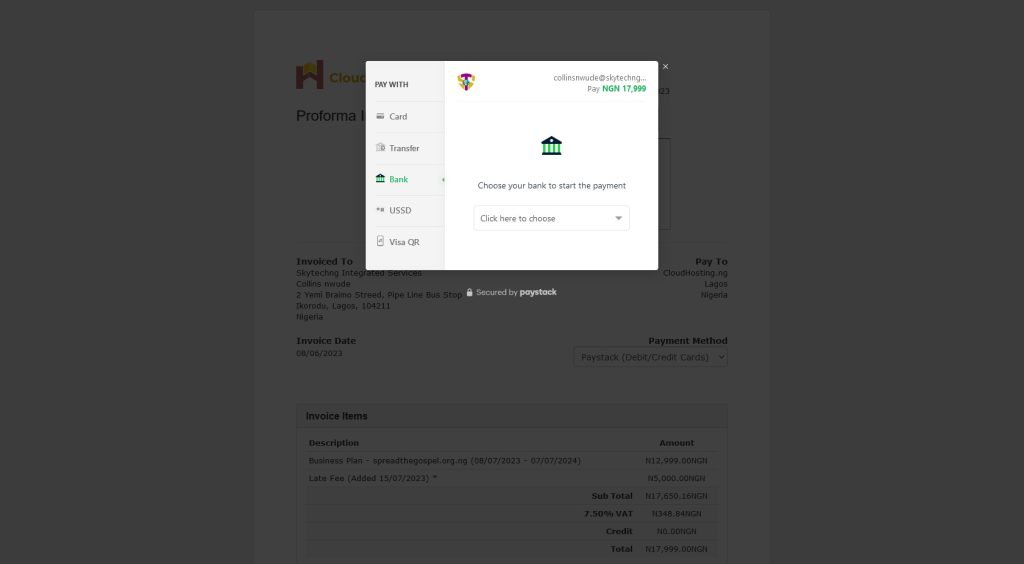
- Bank: This works with this with bank account with GTB, Kuda and Opay, they can make payment directly from their mobile banking app
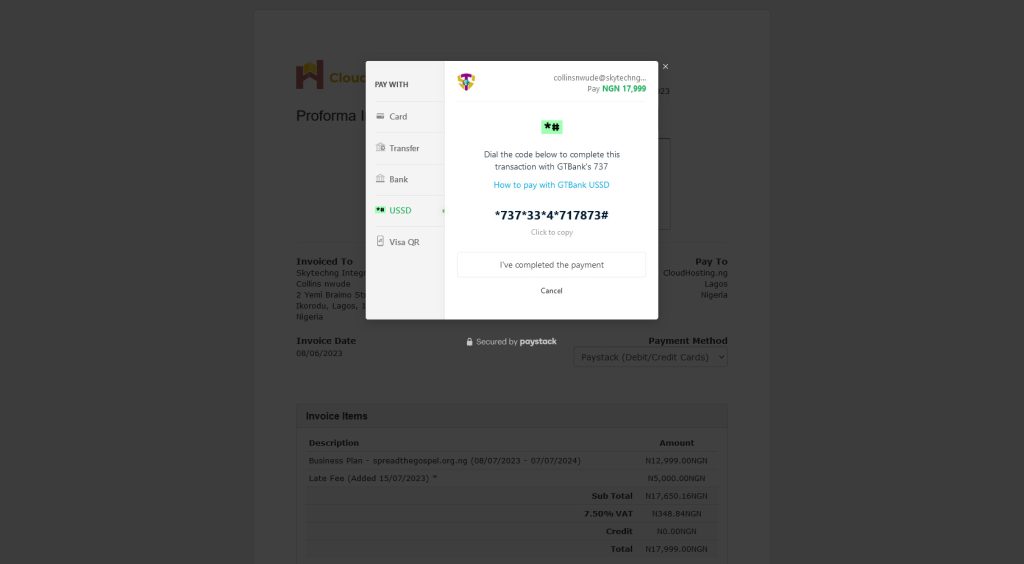
- USSD: This works for those with GTB bank account
- Visa QR: This is QR Code Scanning from Ecobank, FirstBank, Fidelity, Access, Diamond, Paga, or Zenith Bank mobile app
(i)
(ii)
(iii)
(iv)
(v)