
How Can We Help?
How to install Auto SSL in Cpanel
Following a recent cPanel update, the old Let’s Encrypt plugin has been discontinued. You can now secure your website with a free SSL certificate using cPanel’s built-in AutoSSL feature. Here’s how:
- Log in to your cPanel dashboard.
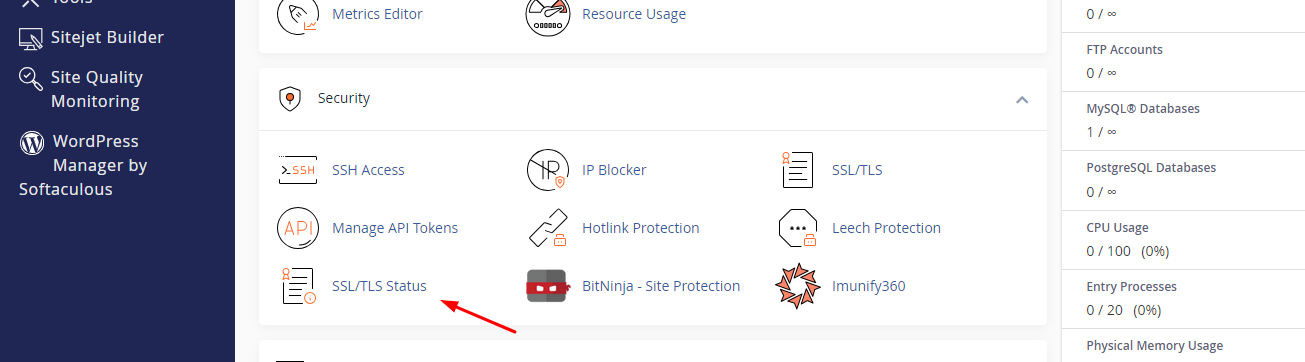
- Scroll to the Security section and click SSL/TLS Status.
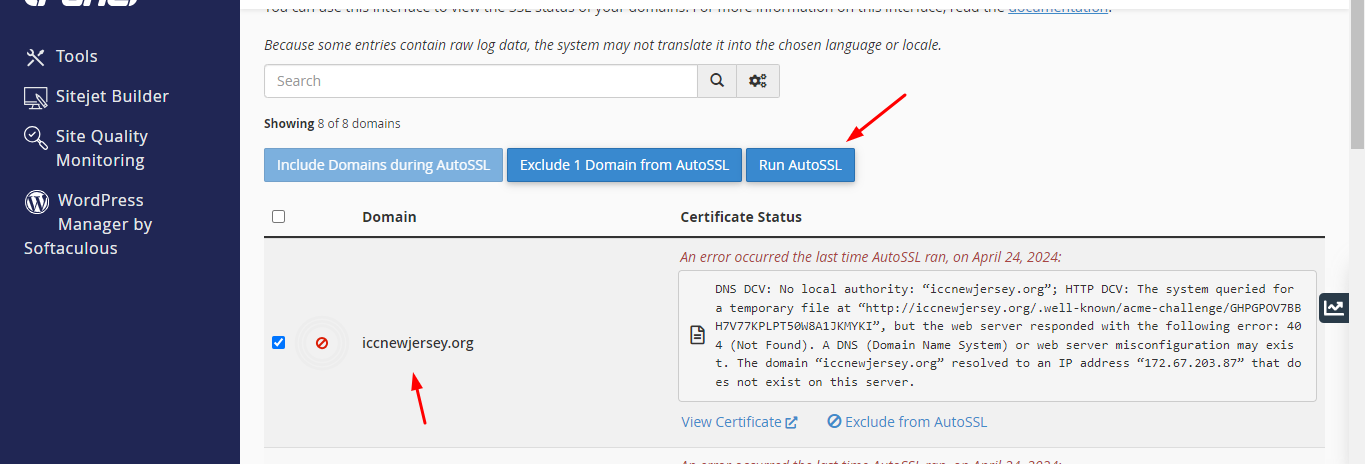
- Check the box next to the domain(s) you want to secure (or select all), then click the Run AutoSSL button.
- Wait a few moments — once completed, you’ll see a green lock and a success message.
Note: AutoSSL may take a little time to finish issuing the certificate. This same process works for renewals, subdomains, addon domains, and parked domains